- Create the assessment from a template. Every account can do this. The template never changes; you get a copy you own.
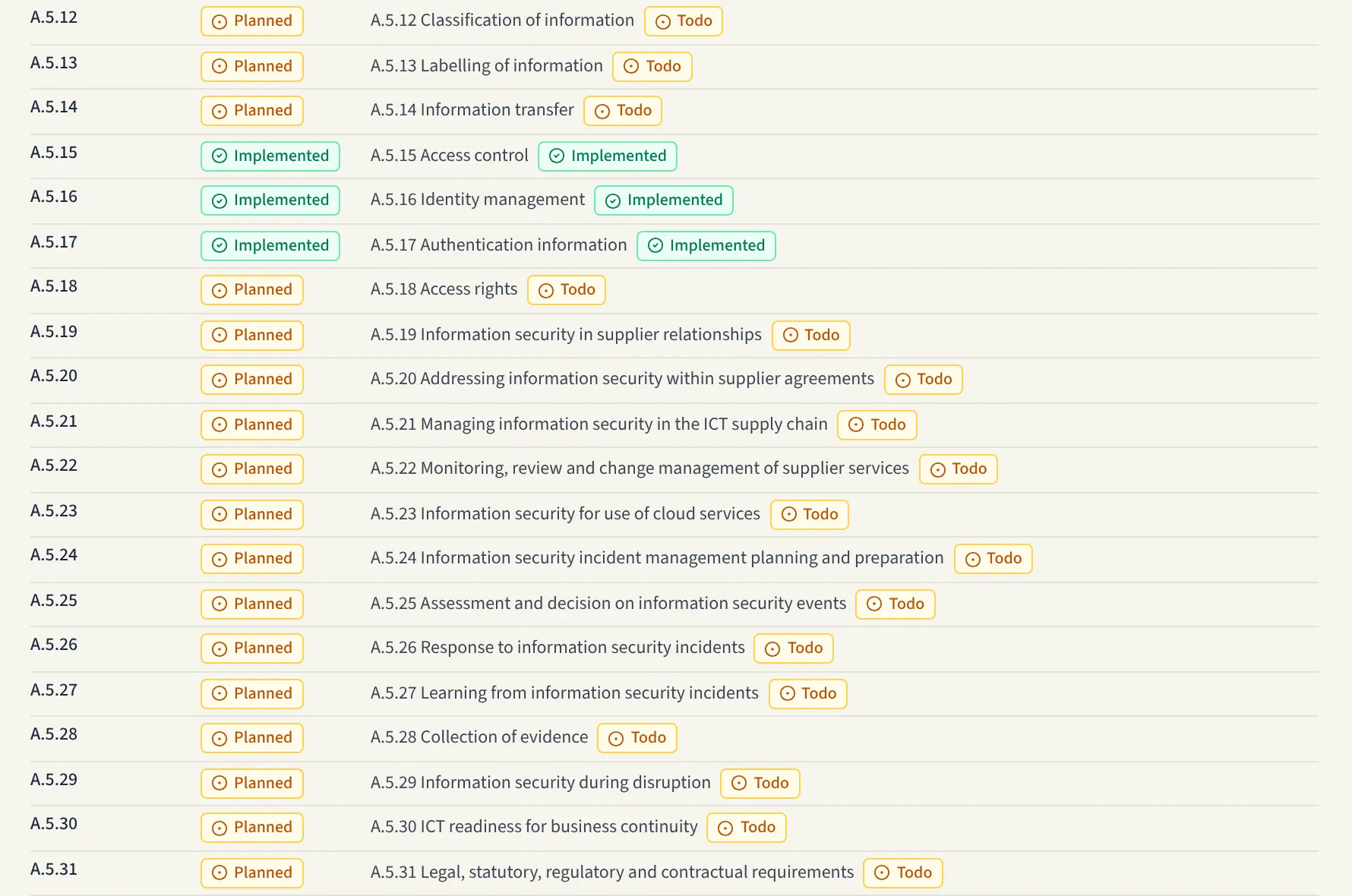
- Set the status of each control. Every control starts as a defence set to to do. Mark what you already have as implemented and shelve what is out of scope for you.
- Argue the risks. The template places controls under risks and attacks. Remove the ones that do not apply to your system, add what is missing, and give the risks and attacks values for your own system. The template's example figures are not copied.
- Rate the controls. Set how strongly a defence counters each attack it is linked to, and add costs. The report then ranks defences by cost benefit.
- Read the control coverage. The report's Control coverage section lists, for each framework, every cited control, whether it is implemented, planned or shelved, and the defences citing it. It lists what is cited. It is not a whole framework and not a statement of compliance.
Each defence in a standards template cites its control on its References tab, in the form
ISO27001-2022:A.5.23. On a defence of your own, choose Control and type a framework code, a
colon and the control. The codes are
ISO27001-2022, ISO42001-2023, EUAIACT, GDPR, NIS2, SOC2, CIS8, CSF2, CRA.
References are checked against each framework's own format.